A logo reveal is the few seconds where your logo appears on screen: it builds, flashes, draws or bursts in, then holds still long enough to be remembered. It opens YouTube videos, ends ads and sits at the start of every client presentation.
Most people search for one in After Effects. You don't need it. Below are twelve free logo reveal styles you can use today in the browser, what each one suits, and how to make yours in about two minutes with the Logo Intro Maker.
What makes a good logo reveal
- It's short. Three to seven seconds. Longer and viewers skip it.
- The logo is the hero. The effect builds up to the logo, then gets out of the way. If people remember the explosion and not the name, the reveal failed.
- It holds at the end. At least one full second of the finished logo, sharp and still.
- The sound lands on the logo. The hit or the chime should arrive the moment the logo appears. Every template here comes with music that's already timed to it.
- It matches the brand. A law firm and a gaming channel shouldn't use the same reveal.
12 free logo reveal styles
Elegant and luxury reveals
Slow, light, lots of space. Good for jewellery, fashion, hotels, photographers and anything premium.
Clean and corporate reveals
Calm and tidy. These suit consultancies, agencies, SaaS products and presentations, where you want polish without drama.
Tech and digital reveals
Energy and gaming reveals
Loud, fast and dark. Made for esports teams, streamers and gaming channels.
Fun and friendly reveals
For kids' brands, cafes, shops and anything that should make people smile.

That's twelve of more than 200. The full logo reveal gallery can be filtered by style, so it takes a minute to find one that fits.
How to make your logo reveal, step by step
- Pick a template from the gallery and open it in the editor.
- Upload your logo. A PNG with a transparent background or an SVG gives the cleanest edges.
- Add your tagline and colours if the template has them.
- Check the sound. Each reveal comes with its own soundtrack. You can switch it off or upload your own track in the settings.
- Export. MP4 in 1080p or 4K with the music, or a silent GIF.
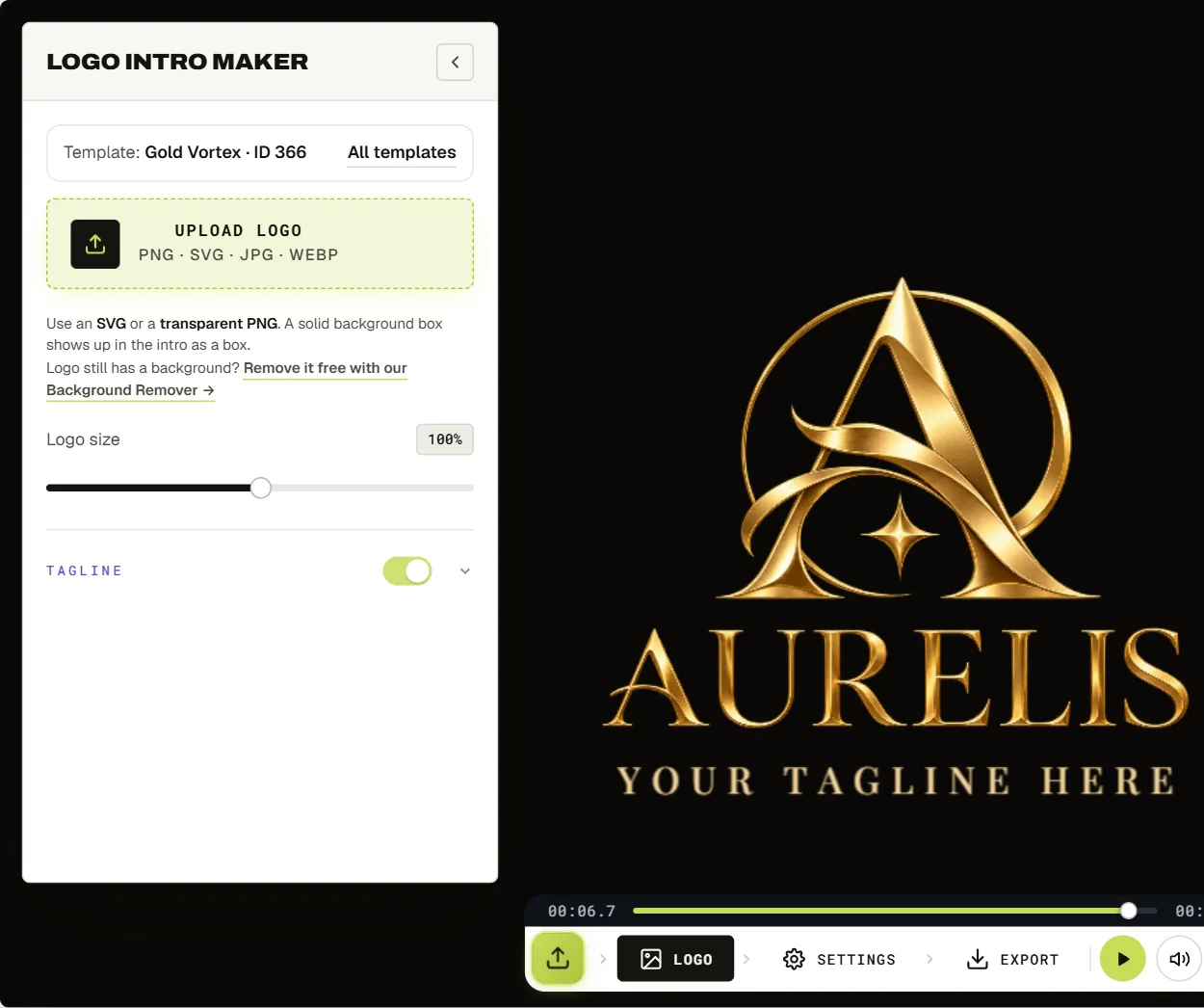
The preview is free with no signup, and exports carry no watermark.
Logo reveal vs logo animation: what's the difference?
A reveal plays once and ends on a still logo. A logo animation can also loop forever, like a spinning logo on a stream overlay. If you want a loop rather than a reveal, the logo animator has 200+ looping and reveal effects, and the 3D logo animator makes seamless 3D spins.
Do you still need After Effects?
For a one-off reveal, no. After Effects templates from stock sites cost money, need the software, and usually take an hour to edit even when you know the program. A browser template takes minutes.
After Effects is still the right tool when you need something nobody else has: a reveal built around your exact logo shapes and brand story. That's what our custom logo animation service is for.
Frequently asked questions
Can I make a logo reveal animation for free?
Yes. Every template is free to preview with your own logo, and exports have no watermark.
How long should a logo reveal be?
Three to seven seconds for a video intro. For an ad or a social post, closer to three.
Does the logo reveal come with sound?
Yes. Each template has music timed to the moment the logo appears, and the MP4 includes it. You can turn it off or use your own audio.
Can I use the reveal on YouTube?
Yes, the video with your logo is yours to use. If your channel is monetised and you'd rather control the music rights yourself, upload your own licensed track in the settings before you export, or export it silent and add music in your editor.