Search for "signature animation" and half the results are After Effects tutorials. They work, but they ask a lot: the software, a mask for every stroke, and an afternoon of keyframing just to make your name write itself on screen.
There's a faster way. This guide shows how the After Effects method actually works, why it's slow, and how to get the same pen-written result in the browser with the free Signature Animation Generator.

How signature animation works in After Effects
The classic method has four steps, and the third one is where the hours go.
- Import the signature as a vector or trace it into a shape layer.
- Add the Stroke effect or a Trim Paths animation.
- Draw a mask or path along the centre of every stroke, in writing order, so the line reveals the way a pen moves.
- Keyframe each path so one stroke finishes before the next begins, then ease the timing so it feels hand-written.
A short name with a few loops takes an experienced editor 30 to 60 minutes. A real signature, with crossed letters and a long underline, takes longer. Stock templates help, but you still have to rebuild the paths for your own signature.
The browser method: same result, a few minutes
The Signature Animation Generator does step three for you. It finds the centre line of each stroke automatically, numbers the strokes in writing order, and draws them one after the other with the line keeping its thick and thin parts.
1. Add your signature
Upload a logo file, take a photo of the signature you sign on paper, or just type your name and pick a script font.
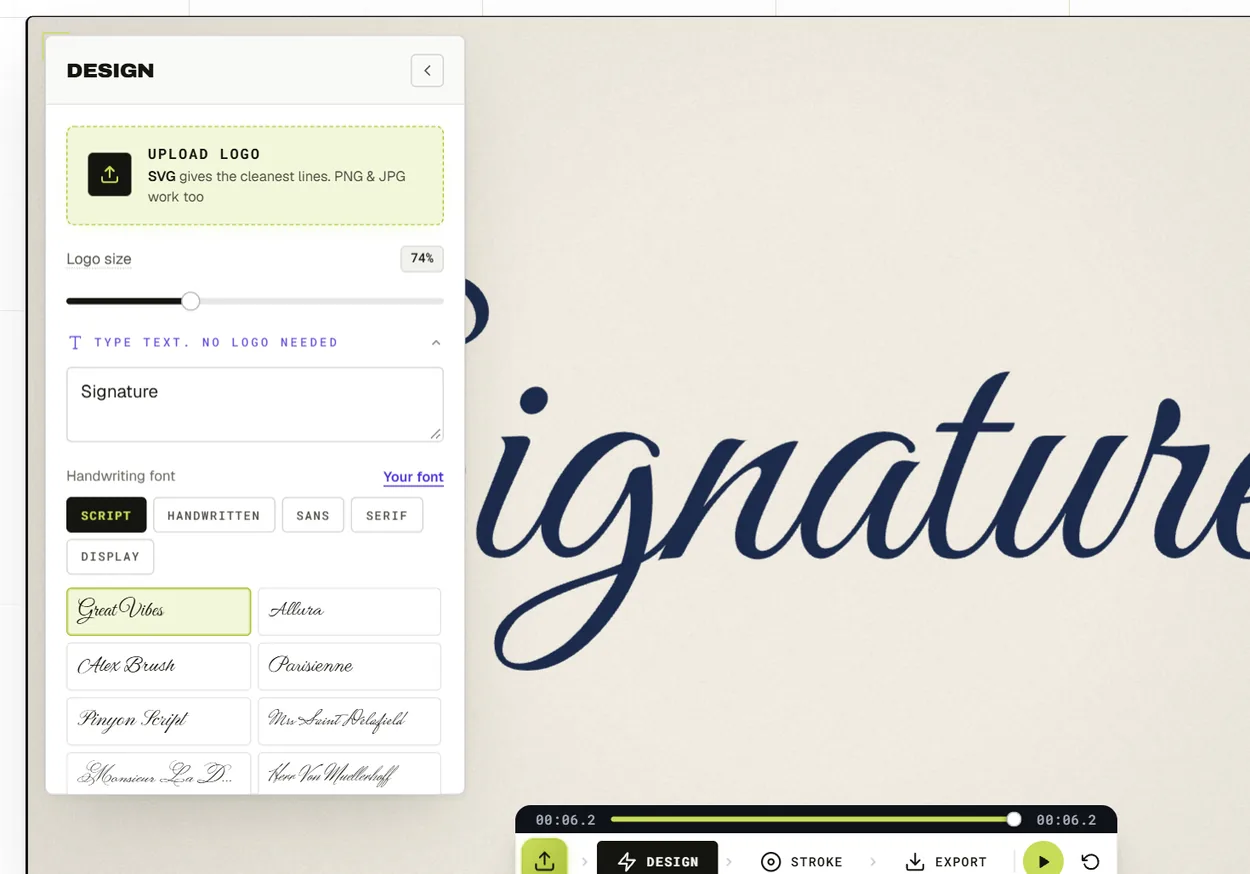
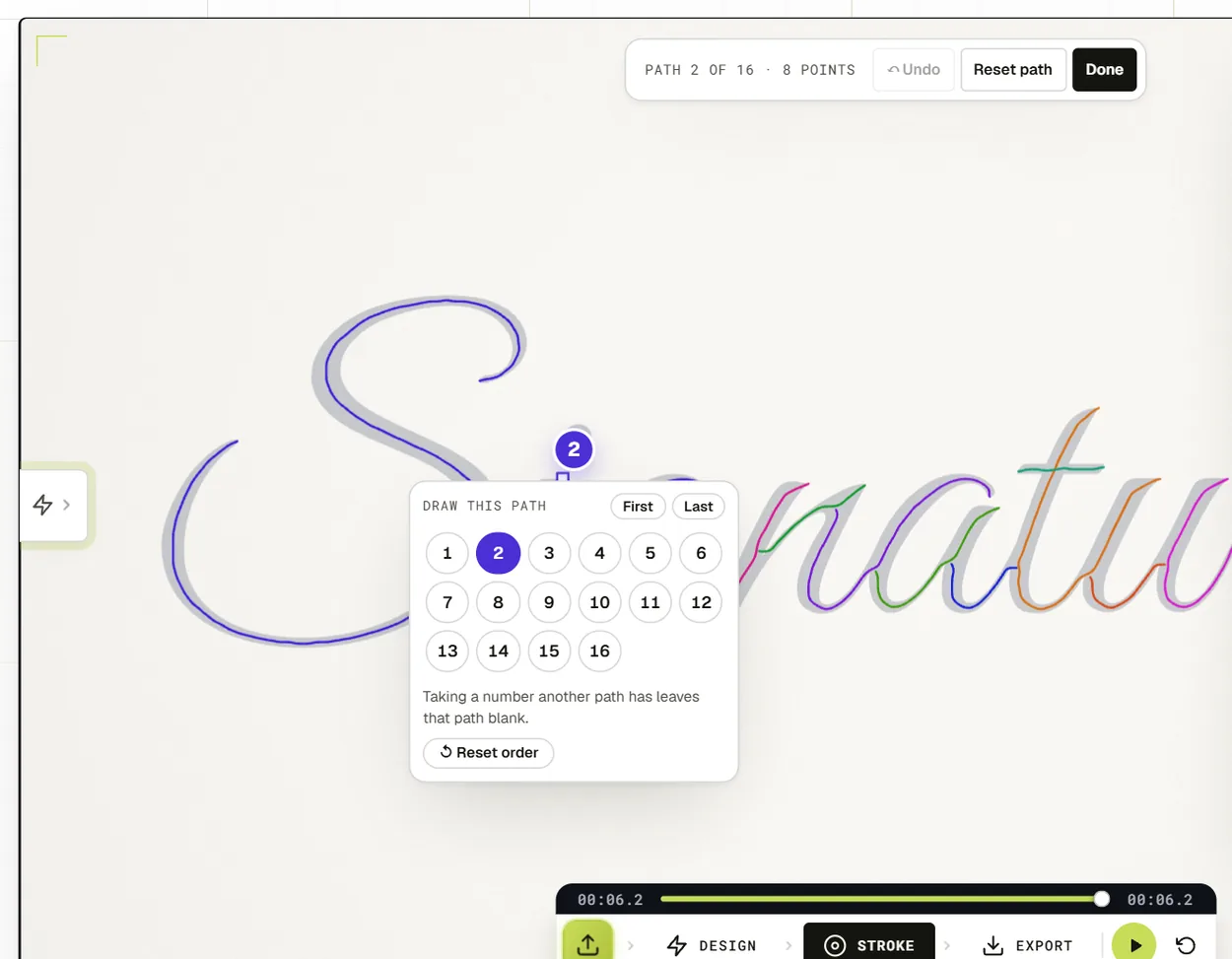
2. Check the stroke order
Each path gets a number and an arrow showing which way the pen travels. Change a number to reorder strokes, or flip an arrow if a letter writes backwards.
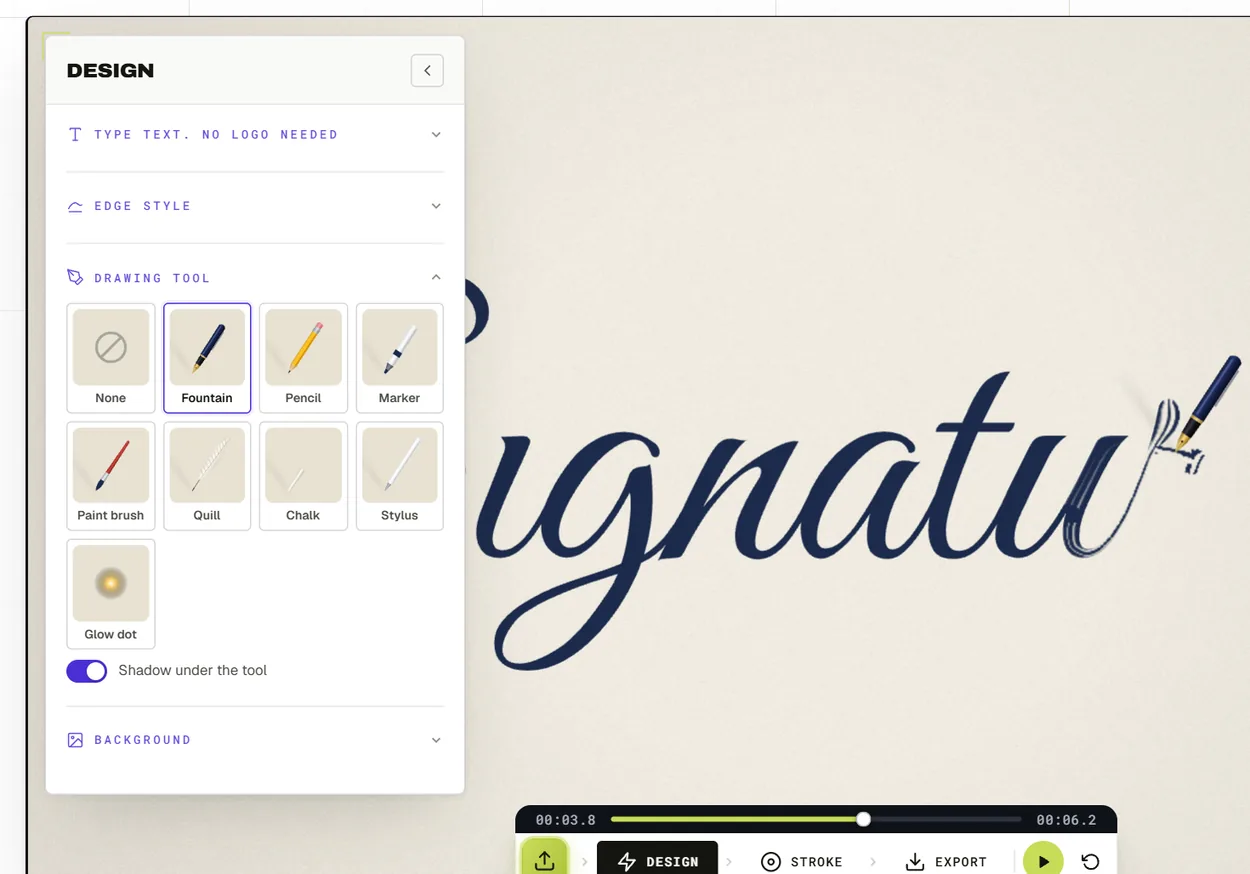
3. Set the style
Pick an ink style, from fountain pen and brush script to neon, chalk and gold foil. Adjust the speed, the ink width and the edge, and choose whether one of eight drawing tools follows the line or nothing does. Then pick a background colour or gradient.
4. Export
Download an MP4 in 16:9, 9:16, 1:1 or 4:5, at 1080p or 4K and 30 or 60 frames a second, or a GIF for email and websites.
After Effects vs the browser
| After Effects | Signature Animation Generator | |
|---|---|---|
| Software | Paid subscription, desktop install | Free to try, runs in the browser |
| Stroke paths | Drawn by hand, one mask per stroke | Found automatically |
| Stroke order | Set with keyframes | Numbers you can change |
| Time for one signature | 30 to 60 minutes | A few minutes |
| Start from a photo | Trace it yourself first | Upload the photo |
| Export | Anything, after rendering | MP4 up to 4K or GIF |
When After Effects is still worth it
If the signature is one part of a bigger edit, say a full title sequence with camera moves and other layers, it makes sense to build it inside that project. And if you want something completely bespoke, like ink bleeding into paper texture, a motion designer can do that by hand. That's what our custom logo animation service is for.
For a signature reveal on its own, at the start or end of a video, on a website or in an email, the browser method is quicker and the result looks the same.
Tips for a signature that looks real
- Use a clean photo. Dark ink on white paper, shot straight on in good light. Crop close to the signature before you upload.
- Write order matters more than speed. If the dot on an i appears before the letter, it looks fake straight away.
- Keep it under four seconds. A real pen is quick. Slow it down too much and it looks like a loading bar.
- Hold the finished signature for a second at the end so people can read it.
For more ideas, see our guides to signature logo animation and handwritten logo animation.
Frequently asked questions
Can I animate my signature without After Effects?
Yes. Upload a photo of your signature to the Signature Animation Generator and it writes itself stroke by stroke. No software to install.
Is the signature animation free?
It's free to try, with no watermark on the export.
Can I use my own handwriting?
Yes. Photograph it on paper and upload the photo. A typed name in a script font works too.
What format should I export?
MP4 for video editors, YouTube and social media. GIF for email signatures and simple website use.