A signature logo is your name, written the way you sign it. Photographers, artists, coaches, stylists and makers use them because they feel personal in a way a typed wordmark never does. Animate one so it writes itself on screen, stroke by stroke, and it becomes the moment people remember at the start or end of your videos.

This post covers what a good signature logo animation looks like, where it earns its place, what it costs to have one made, and how to make your own for free with our Signature Animator, from a logo file, a typed name or a photo of the signature you already sign with.
What a good signature logo animation looks like
It's the most personal kind of handwritten animation for logos, so small details give a fake away fast. The good ones have four things in common.
- It follows the pen. Each stroke is drawn along its centre, in the order you'd write it, not wiped on from left to right.
- The line keeps its character. Thick downstrokes stay thick and hairlines stay thin, just like real ink.
- Dots and crosses come last. The dot on the i and the bar on the t land after the word, the way you'd actually sign.
- It holds. The finished signature stays on screen long enough to be read, so it works as a logo and not just a flourish.
Where a signature logo animation works best
- Video intros and outros. Your signature writing itself at the start or end of a YouTube video, a course lesson or a showreel.
- Reels, Shorts and TikTok. Export it in 9:16 and use it as a sign-off at the end of each clip.
- Photography and art. An animated signature on a client slideshow, a portfolio reel or a behind-the-scenes video.
- Weddings and events. The couple's names or a monogram written in script for the wedding film, the save the date or the thank-you video.
- Presentations. An MP4 on the first or last slide of a pitch or a talk.
- Email. A small GIF under your sign-off works in Gmail and Apple Mail. Some Outlook versions only show a GIF's first frame, which is still blank here, so for Outlook use the email signature logo animator instead.
What it costs to get one made
On Fiverr, a signature logo animation usually costs somewhere between $10 and $50, with a wait of one to three days and extra charges for 4K, sound or a second colour. In After Effects you'd trace every stroke of your signature by hand with the Pen tool, then animate each one. Plugins can automate the tracing, but they still need After Effects.
A signature logo animator does both jobs in your browser. The tracing and the animation take seconds, you control the stroke order, speed and look, and you can export as many versions as you like for different platforms.
How to animate your signature logo
- Get your signature in. Upload your signature logo as an SVG, PNG or JPG. No logo file? Sign on white paper with a dark pen, photograph it and upload the photo. Or type your name in one of 54 fonts.
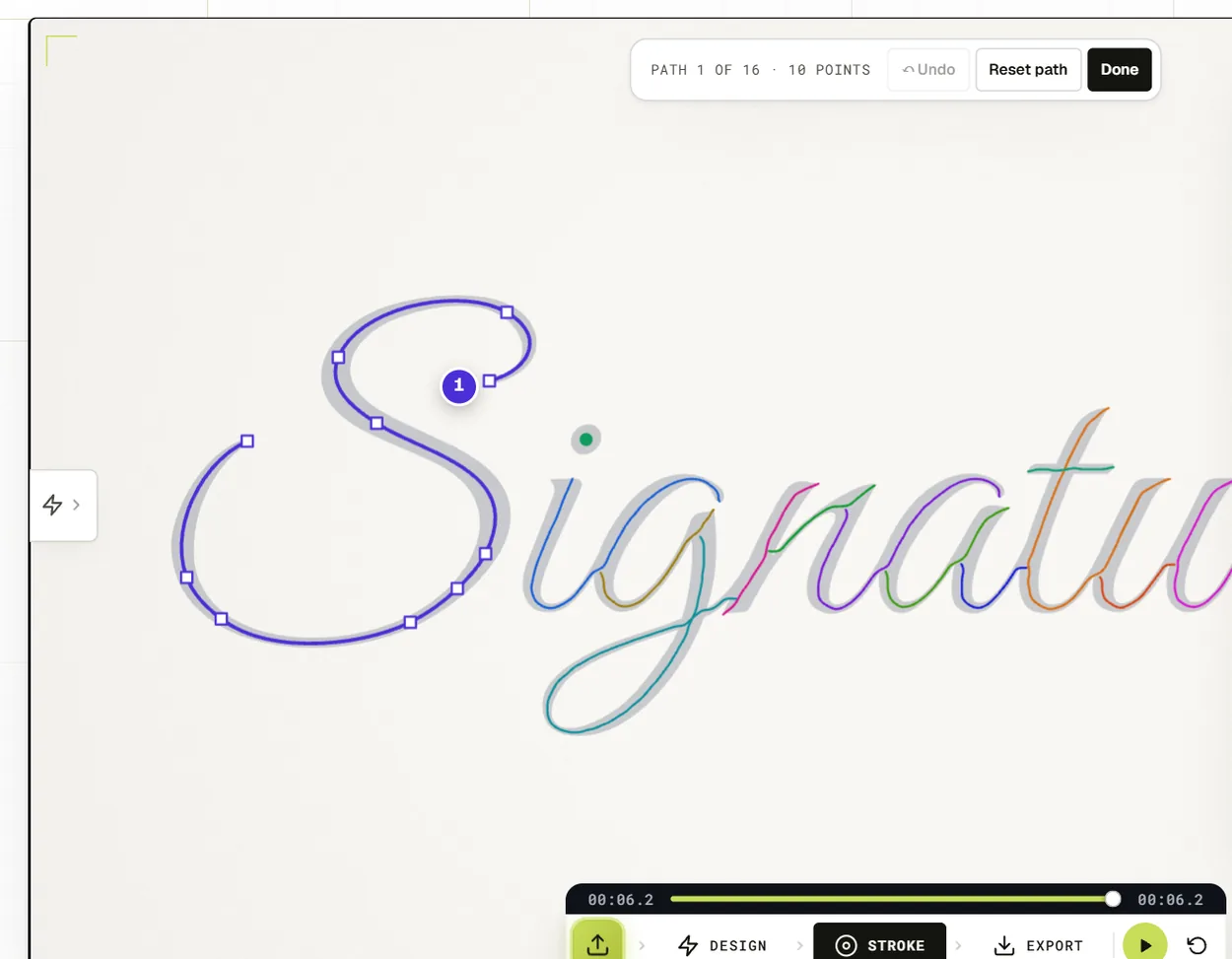
- Check the strokes. Open the Stroke panel to see every stroke in its own colour. Click a stroke's number in Path edit to change when it's drawn, and turn on Arrows to reverse any stroke.
- Tune it. Set Speed between 1x and 1.5x for a natural pace, keep Stroke width at 100% so the whole signature fills in, and pick a pen, or no pen at all.
- Export. An MP4 up to 4K in 16:9, 9:16, 1:1 or 4:5, or a GIF. No watermark.
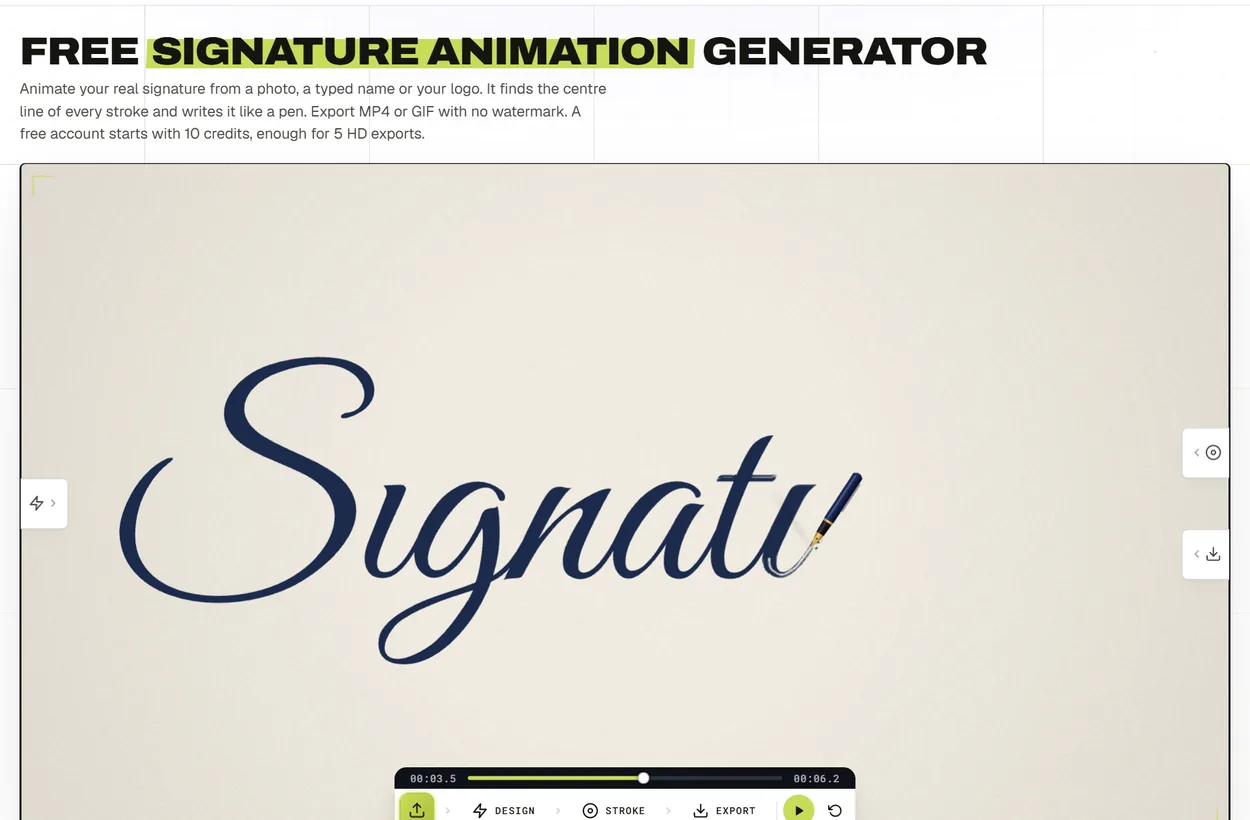
For every step with screenshots, see our guide on how to make a handwritten logo animation.
Getting the best result from a photo of your signature
- Use a felt tip or a gel pen on plain white paper. Ballpoint lines can be too faint to trace well.
- Shoot from straight above in daylight, with no shadow from your phone across the page.
- Crop close to the signature before you upload it.
- If a stroke comes out wrong, fix it in Path edit: drag its points, add one with Ctrl-click or delete one with Alt-click.
Signature logo animation examples


Two more made with the same tool: a typed name and a calligraphy logo.
Frequently asked questions
Is an animated signature a legal e-signature?
No. It's an animation for videos, websites and emails. It doesn't sign documents, and it isn't a legally binding electronic signature.
Can I animate a signature I drew on paper?
Yes. Photograph it on white paper, upload the photo, and the tool traces the centre line of every stroke. A clean, high-contrast photo gives the smoothest result.
How long should a signature logo animation be?
Two to four seconds of writing plus a couple of seconds of hold suits most intros and outros. Use Speed to get there.
Which fonts look most like a real signature?
Connected scripts such as Great Vibes, Allura and Mrs Saint Delafield. You can also load your own font file.
Ready to try it? Open the Signature Animator and your signature can be writing itself in a couple of minutes.
Coming from After Effects? Read signature animation without After Effects to see what the browser does for you.