If you've tried 3D Logo Lab, you already know the appeal: drop in a flat logo, watch it pop into 3D, add a chrome or gold finish, and spin it. It's a genuinely good tool. But most people hit the same wall: the free version stamps a watermark on what you export and limits you to personal use, and the moment you want the animation, the part you actually came for, you're looking at a subscription.
This post is for people searching for a way to get the same result without a monthly bill. Our 3D Logo Animator is that alternative, and below is an honest account of where it wins, how it's funded, and the two cases where you should genuinely pay for the other one instead.
What's actually free on 3D Logo Lab, and what isn't
Credit where it's due, their free tier is not stingy on the basics. You get one-click 2D to 3D conversion, access to all their materials, unlimited logo generations and unlimited image exports. That's a lot for nothing.
The catch is in two lines of their pricing: the free tier is personal use with a watermark. Everything else lives in the Pro Plan, currently $12.49 a month on a discount from $24.99, or $98 a year. Specifically, that's where you'll find animations, video exports, 3D model exports, commercial rights and watermark removal.
So if you wanted a spinning logo for a client's Instagram ad, the free tier doesn't get you there. That's the gap worth talking about.
The alternative: free, no subscription, no watermark
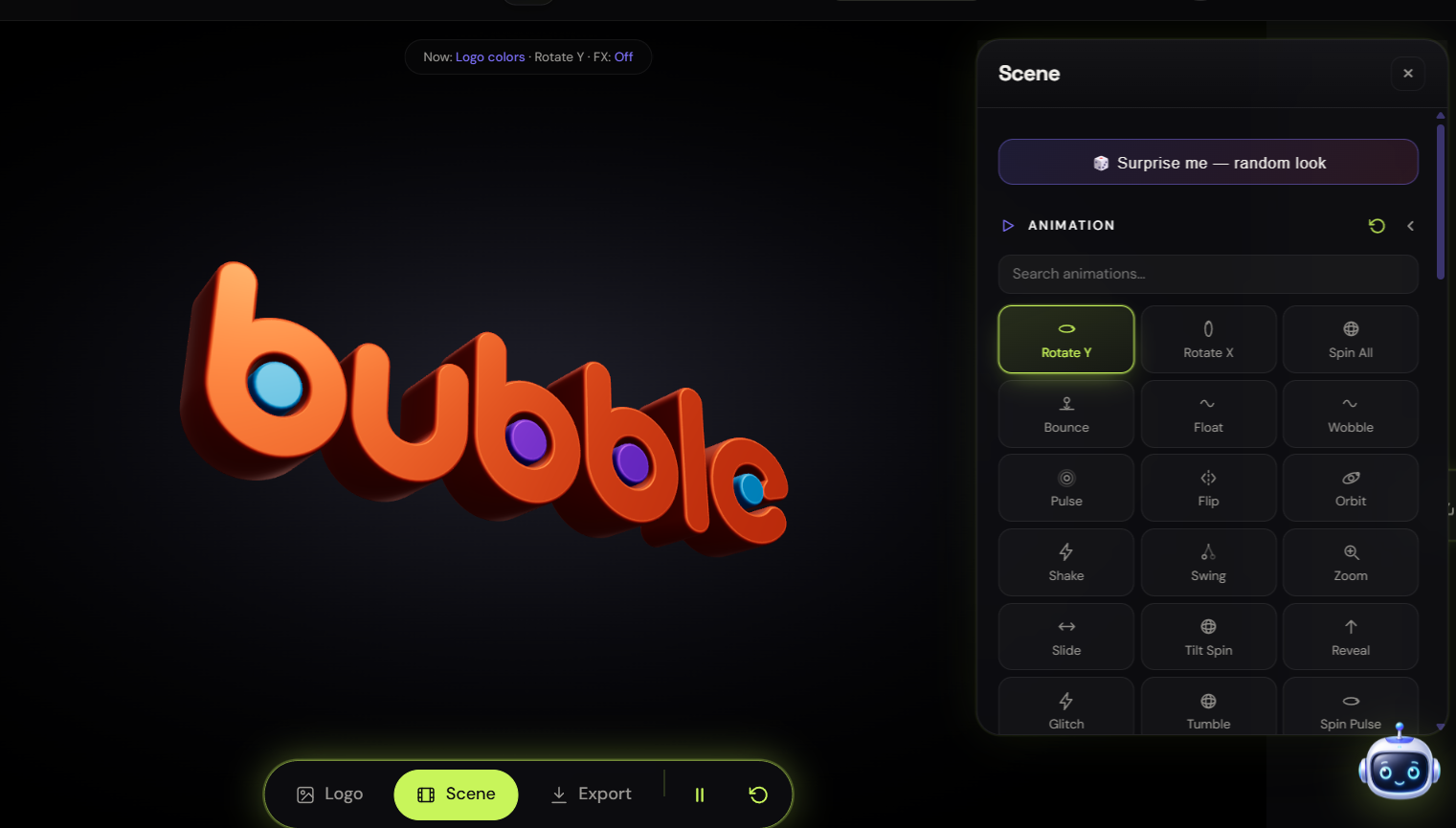
Our 3D Logo Animator runs entirely in your browser. Upload a PNG, JPG or SVG, or just type your brand name and pick a font, and it extrudes into a real 3D object you can light, texture, spin and export.
What you get:
- No watermark. Ever. Not on the preview, not on exports, not on the free tier. There isn't a watermarked version of this tool.
- Commercial use included. What you export is yours: client work, ads, merch, stream graphics, tokens and coins.
- 68 animations and 45 materials, all previewable before you commit to anything.
- Video, GIF and transparent PNG export, including 9:16 portrait for Reels, Shorts and TikTok.
- No subscription. There is no monthly plan to cancel, because there isn't one to start.
How it's paid for, plainly
Being straight about this matters more than a marketing line. The tool itself is free to use and free to explore. You can upload a logo and cycle through every animation and every material without an account and without a watermark.
Exporting uses credits. You create a free account, you get free credits to start, and each export draws from them: a PNG costs 2 credits, a GIF costs 3, and a video costs 4. If you run out and want more, you top up once. You're never put on a recurring plan.
That's the honest trade. Their model is a subscription that unlocks everything. Ours is free credits with no subscription at all. For someone making a handful of logo animations rather than hundreds a month, the second one is a lot cheaper, and there's nothing to remember to cancel.
Where 3D Logo Lab is still the better buy
Two things they do that we don't, and if you need either, go and pay them. You'll be happier:
- 3D model file export. They'll give you an actual 3D model, which matters enormously if you're 3D printing your logo or dropping it into Blender for further work. We export images and video, not geometry.
- Website embed code. They offer an interactive embed you can drop into a page so visitors can drag and rotate your logo. We don't do that.
Anyone telling you a free tool beats a paid one at everything is selling you something. If your use case is 3D printing or an interactive embed, that's a real reason to subscribe.
How to make one in three steps
- Load your logo. Drag in a PNG, JPG or SVG, or type your brand name and choose a typeface. SVG gives the cleanest edges, because it extrudes from real vector paths rather than tracing pixels.
- Style it. Set the extrude depth and bevel, pick a material: brushed metal, chrome, gold, glass, matte, then choose a lighting preset and an animation. Everything updates live, so you're judging the real thing rather than a thumbnail.
- Export. Video for social and ads, GIF for Discord and email signatures, or transparent PNG for a website header. Portrait 9:16 is right there if you're posting to Reels or Shorts.
A tip for messy source files
3D extrusion is only as good as the outline it's given. If all you have is a low-resolution PNG or a screenshot of your logo, run it through our free image to vector converter first to get a clean SVG, then extrude that. The difference in edge quality is dramatic, and it costs you nothing.
And if you're making a token, challenge coin or community badge rather than a logo animation, we have a dedicated 3D coin generator for exactly that.
The short version
3D Logo Lab is a polished product, and if you need 3D model files or an interactive embed it's worth its subscription. But if what you actually want is a spinning 3D version of your logo for social media, an ad or a client deck: without a watermark, without buying commercial rights, and without a recurring charge, you don't need to subscribe to anything.