This guide covers the three decisions behind a good YouTube intro: how long it runs, where it sits in your video and which style suits your channel. Then it shows how to make one for free in the Logo Intro Maker, where every intro comes with its own music.
What makes a good YouTube intro
- It's short. Aim for 3 to 7 seconds. Anything longer eats into the reason people clicked.
- Your logo is readable. It should hold still for a moment at the end, big enough to read on a phone.
- It sounds like you. A short sound that never changes is half of what makes an intro memorable.
- It comes after the hook. Open with a line about what the video delivers, then play the intro.
- It stays the same. The same intro on every video is what turns it into a brand.
How long should a YouTube intro be?
Between 3 and 7 seconds for most channels. The first moments of a video are when viewers decide whether to stay, and a long intro spends that time on you instead of on them. If yours runs past 10 seconds, cut it.
The intros in our library run from 4.5 to about 8 seconds. The shorter ones, around 4.5 to 5 seconds, are the safest pick for YouTube. The longer ones, like the particle and luxury intros, build more slowly and suit a channel trailer, a brand film or a video that opens more calmly.
Where to put the intro in your video
Not at second zero. A common structure is to open with a short hook, 5 to 15 seconds that tell the viewer what they're about to get, and only then play the intro. The hook keeps people watching. The intro then works as a clean break between the promise and the content.
- Hook: one or two lines about what the video shows.
- Intro: your logo, 3 to 7 seconds.
- Content.
- Outro: the same logo again with an end screen, if you like.
Pick a style that fits your channel
The quickest way to choose is to match the intro's energy to your content. Here are some starting points from our library, each with its own music. Click any name to put your logo in it.
Gaming and esports
Gaming intros can be loud. Lightning, fire, claws and neon all fit, as long as the logo still gets a clear moment at the end. If you've been hunting for a free gaming intro maker, the Energy style is the place to start. Try Claw Slash, Power Core or Thunder Strike.
Tech, reviews and tutorials
Tech channels suit something crisp and quick. Glitch effects and clean shapes feel technical without getting in the way. Glitch Blocks and Code Brackets both finish in under 5 seconds.
Business, finance and education
For a company channel, a course or a finance show, calm beats flashy. A clean slide or a simple reveal says "we're organised" better than an explosion ever could. Have a look at Blue Panels, Clean Circle or anything in the Minimal style.
Food, lifestyle and vlogs

Lifestyle channels want warmth. Coffee Swirl is made for food and cafe channels, and the Liquid style has softer splashes and swirls that suit cooking, travel and daily vlogs. If your channel logo is your name in script, the Signature Animator can write it on screen like a pen instead.
Kids, family and fun
Bright colours, bouncy motion and a playful sound. Balloon Pop, Cartoon Boom and Magic Poof are all in the Cartoon style.
Beauty, fashion and luxury brands
Premium brands need space and a slower pace. Silver Wisps and Gold Vortex are two of the longer intros and they take their time, which is the point.
Want more options? See our 20 favourite logo intro templates, sorted by style.
How to make your intro, step by step
- Pick an intro in the gallery. Each card shows its length and its price.
- Upload your logo. Use an SVG or a transparent PNG so it stays sharp.
- Make it yours. Change the colours to your brand's and add your channel name or tagline under the logo.
- Check the music. Each intro has its own soundtrack. Keep it, or upload your channel's jingle in Settings.
- Export an MP4 in 1080p, or in 4K if you upload in 4K.
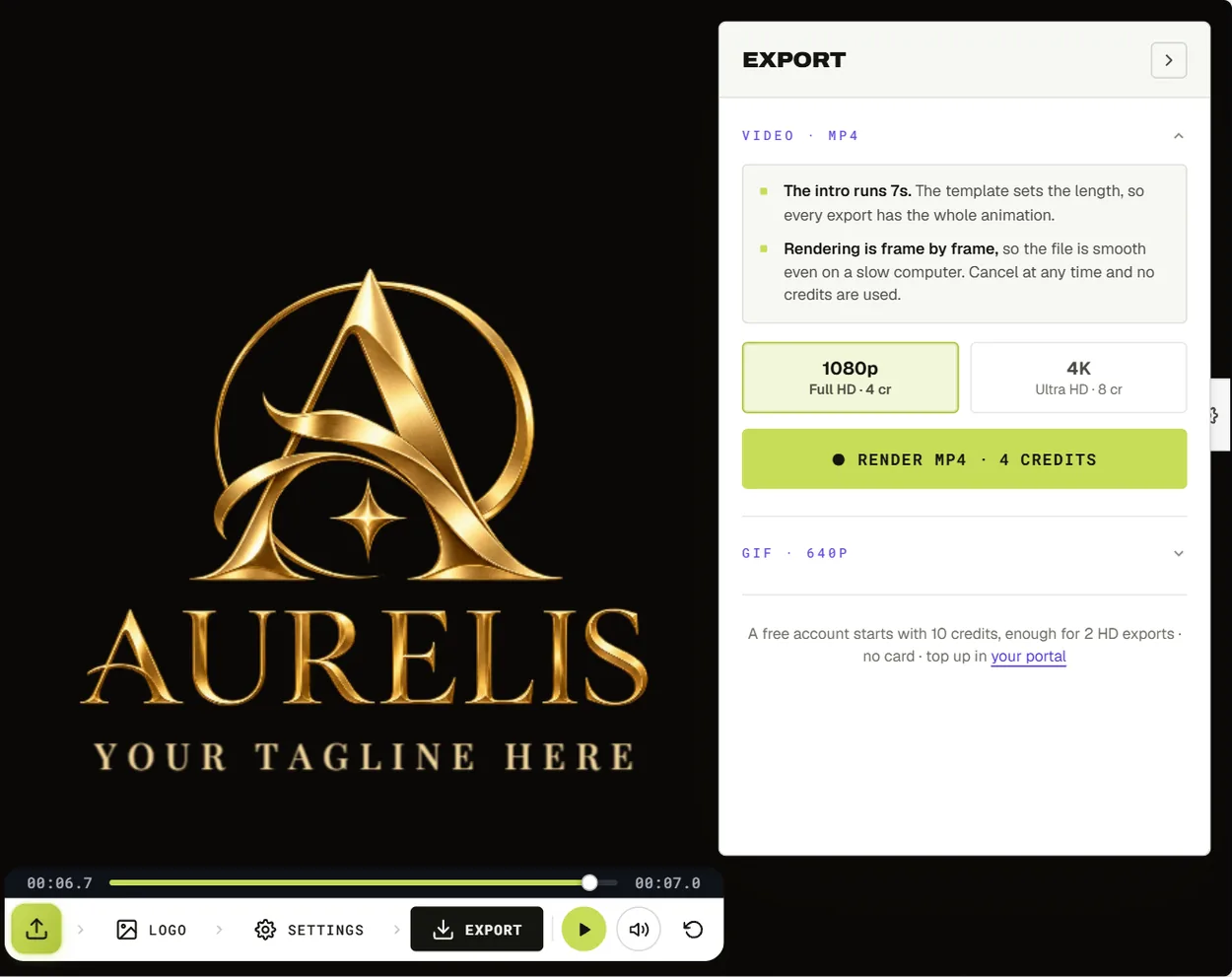
There's a full walkthrough with a screenshot of every panel in how to make a logo intro with music.
Music and sound
On YouTube, an intro without sound can feel unfinished. Every intro in our library comes with music and sound effects timed to its animation, so the impact lands at the moment your logo appears. You hear it while you edit, and it's saved into the MP4 when you export from Chrome, Edge or Firefox.
If your channel already has a sound, use that instead. Open Settings, go to Audio and click Upload your own audio. If the track is longer than the intro, the editor cuts it to length and fades out the end. Only use music you own or have a licence for. YouTube can flag a video that contains someone else's copyrighted song, and you don't want that at the start of every upload.
Adding the intro to your videos
Download the MP4 and drop it onto your timeline in whatever editor you use. CapCut, Premiere Pro, DaVinci Resolve and iMovie all handle it the same way. Put it right after your hook, and keep the file somewhere safe, because you'll use it on every video.
Match the resolution to your uploads. A 1080p intro is right for most channels. If you film and upload in 4K, export the intro in 4K as well, so the picture doesn't soften between the intro and the rest of the video.
On Shorts, skip the intro or keep it tiny. People swipe fast, and our intros are 16:9, so in a vertical Short it would have to sit inside the frame.
Frequently asked questions
Can I make a YouTube intro for free?
Yes. Choosing an intro, adding your logo and previewing it are free with no account. A free account comes with 10 credits, which covers 2 to 5 intros in 1080p depending on the one you pick.
Will my intro have a watermark?
No. Nothing you export from the Logo Intro Maker carries a watermark, including exports paid for with free credits.
What resolution should a YouTube intro be?
1080p (1920 × 1080) for most channels, or 4K (3840 × 2160) if you upload in 4K. Both are 16:9, the standard YouTube shape.
Can I use the same file as an outro?
Yes. Plenty of channels close with the same logo animation, sometimes with an end screen on top. It's the same MP4, so there's nothing extra to make.
Can I change the music?
Yes. Upload your own track in Settings, or switch the sound off and add music in your editor.
Do I need After Effects?
No. The intros are finished animations that run in your browser. You change the logo, colours, text and sound, and the export happens on your own computer.
Browse the intros and make yours. It takes about five minutes.
Want something shorter than a full intro? See 12 free logo reveal styles, each with music.