A 3D logo animation used to mean one of three things: learning Blender, paying for After Effects templates, or hiring someone. In 2026 there is a fourth option that takes about three minutes: a browser tool that extrudes your flat logo into a real 3D object and animates it, free, with no watermark and no signup. This guide walks through the exact process, then covers the settings that separate a cheap-looking spin from one that looks like studio work.
What you need before you start
One file: your logo as a transparent PNG or an SVG. SVG is the best input because the outlines are real vector paths, so the 3D extrusion comes out perfectly crisp at any size. A transparent PNG works well too; the tool traces the shape from the alpha channel. If you only have a JPG with a white background, run it through a background remover first, or use the free vectorizer to convert it to SVG.
No logo at all? You can type your brand name instead. The same tool doubles as a 3D text generator with 15 fonts, so a word becomes solid 3D letters you can animate exactly like a logo.
How to make a 3D logo animation for free, step by step
- Open the free 3D Logo Animator. It runs entirely in your browser. Nothing installs, nothing uploads to a server, and your logo never leaves your device.
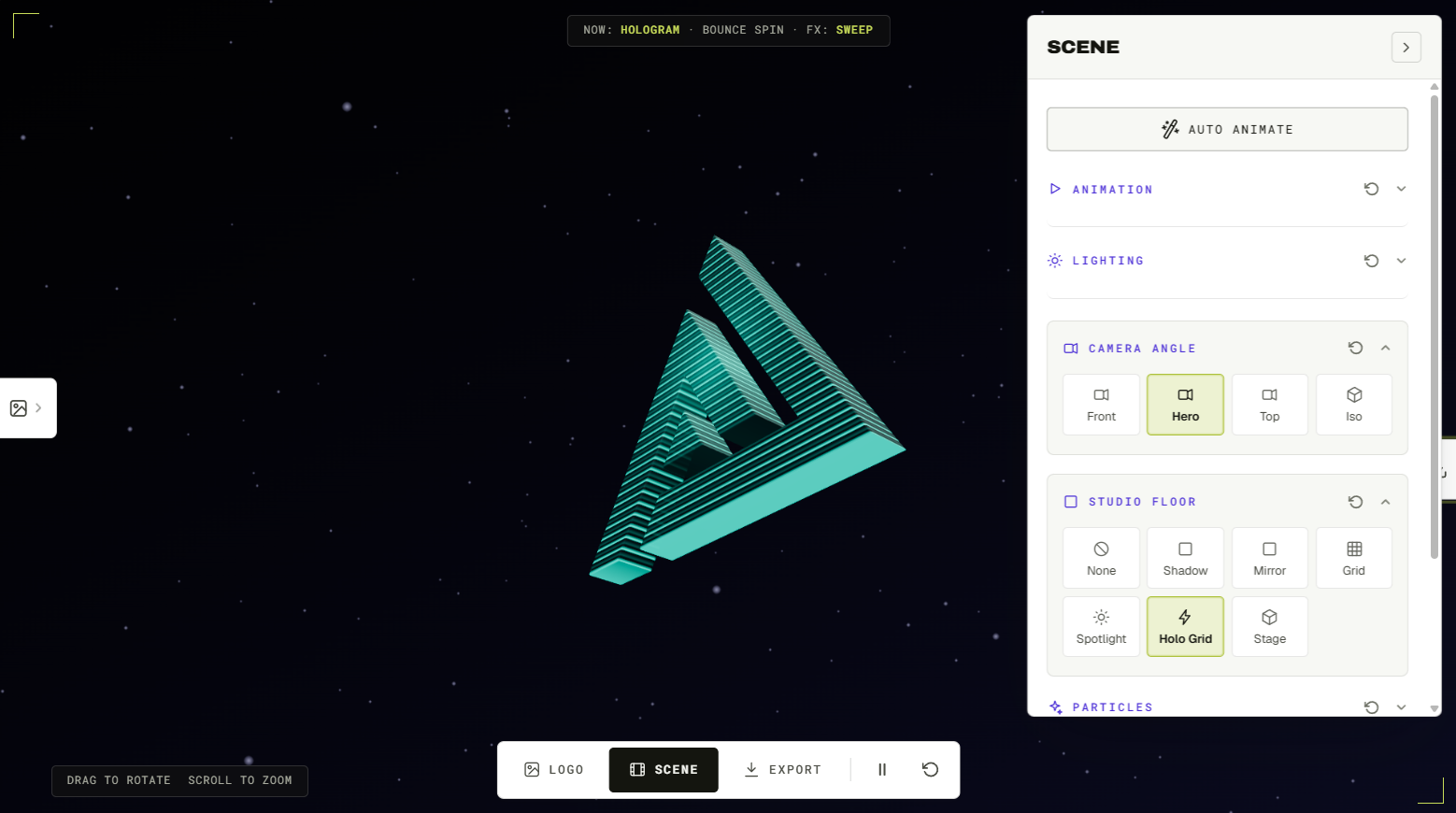
- Upload your PNG or SVG (or type your brand name under 3D Text). The logo becomes a solid 3D object instantly. Two sliders matter here: depth, which controls how thick the extrusion is, and bevel, which rounds the front edges so light catches them. A modest depth with a visible bevel almost always looks more expensive than maximum thickness.
- Pick a material. There are 45, from brushed gold and glass to holographic and neon. Chrome and liquid metal are the most popular right now thanks to the Y2K revival; more on that below.
- Choose an animation preset. There are 40, but the classics earn their popularity: spin and turntable give you the 360 rotation everyone searches for, and every preset loops seamlessly, so the end of the clip joins the start with no visible jump.
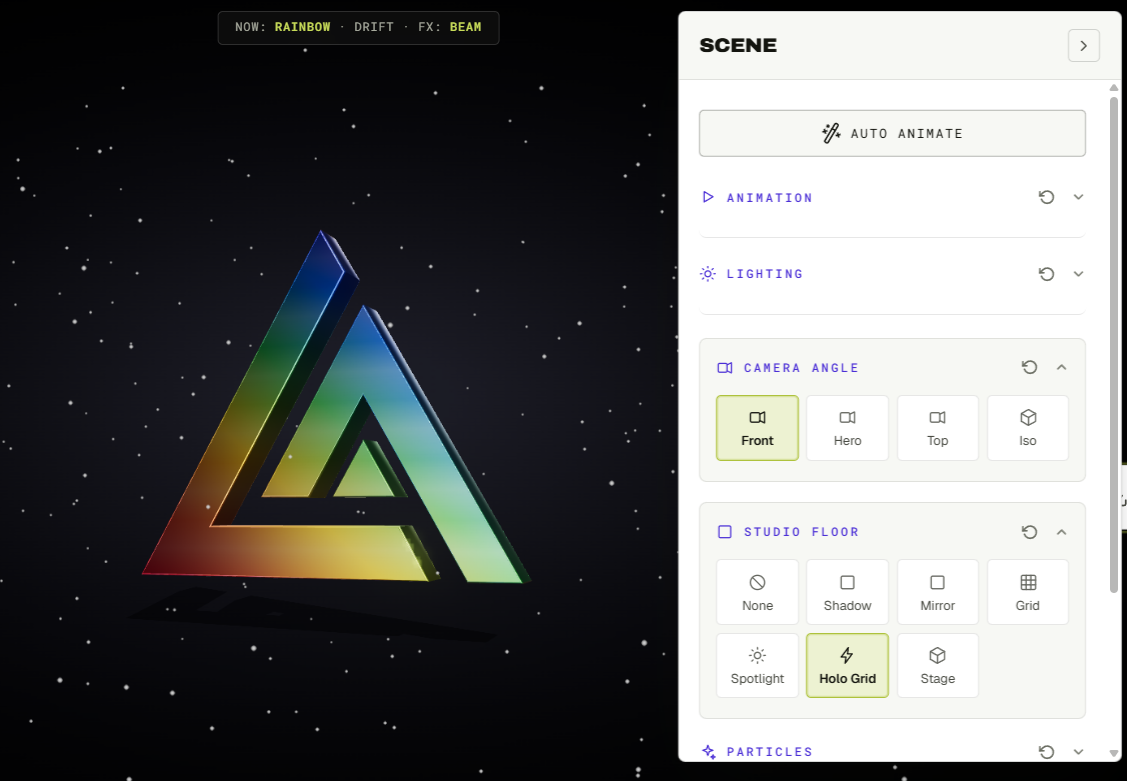
- Light the scene. Lighting presets do the heavy lifting: a dramatic key light plus a touch of bloom makes metal materials shine. Add a studio floor if you want a grounded product-shot look, or keep the background clean for overlays.
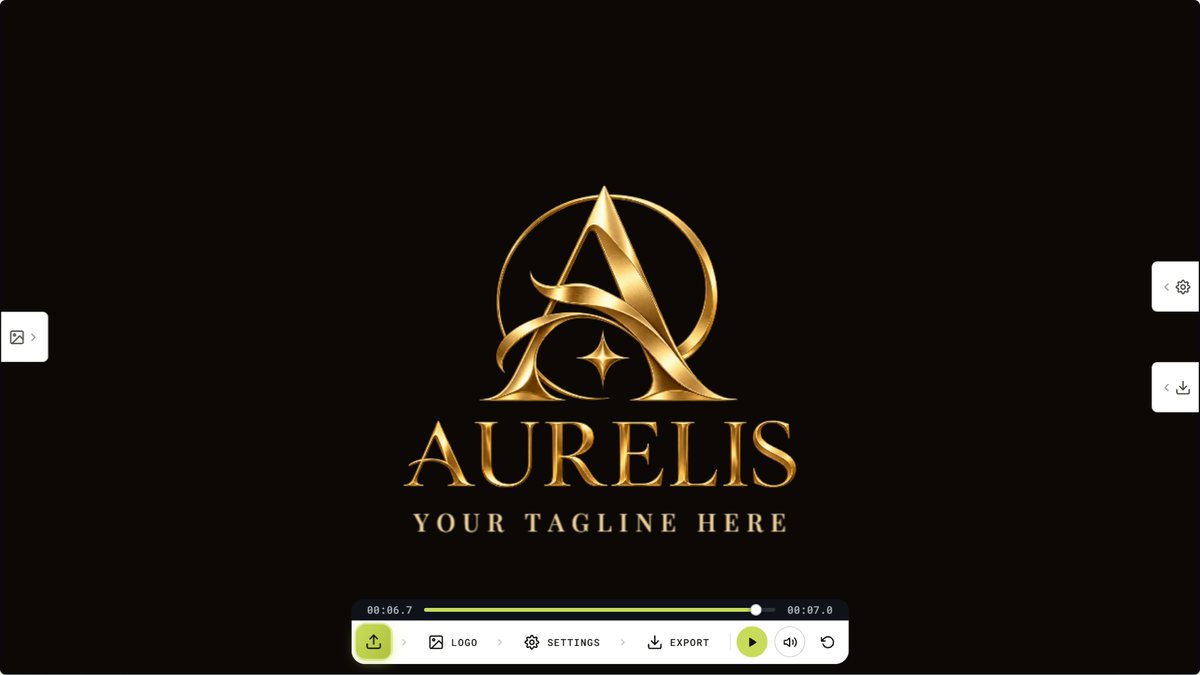
- Export. Download a seamless 1080p loop as MP4 or GIF, in 16:9 for YouTube or 9:16 for Reels, Shorts and TikTok. There is no watermark on the preview or the file. You can also export the model itself as GLB for game engines and AR, or STL if you want to 3D print your logo.
That is the whole process. First run typically takes three minutes; once you know your material and preset, a re-export takes thirty seconds.
The settings that make it look professional
Keep the motion slow
The most common beginner mistake is speed. A full rotation every two seconds reads as a screensaver; a rotation every six to eight seconds reads as a brand. Slow motion also compresses better, so your GIF file comes out smaller.
Bevel before bling
Reflective materials live on edges. If chrome or gold looks flat on your logo, the fix is almost never the material, it is the bevel. Increase it until you see a bright line tracing the outline of the shape, then stop.
Match the aspect ratio to the destination
Export 16:9 for YouTube intros and website heroes, 9:16 for Shorts, Reels and TikTok. Rendering natively in the right ratio always beats cropping afterwards.
Use transparency for overlays
The transparent export drops your spinning logo over any footage in Premiere, CapCut or DaVinci with no keying. Lower the extrusion depth and pick a subtle material and the same export works as a corner watermark for all your videos.
The Y2K chrome spinning logo, in three clicks
If you have seen the spinning chrome logos all over TikTok and streetwear drops, the recipe is short: chrome or liquid-metal material + spin preset + bloom on. The bloom is what gives the highlights that early-2000s glow. Export a seamless loop and it is ready for a product page, a lookbook or a fit-check edit.
Free tools compared: why "free" usually is not
Most tools that rank for "free 3D logo maker" fall into two groups. Template platforms like Renderforest and Adobe Express let you preview free but stamp a watermark on the export unless you subscribe. And many "3D logo" generators produce a static picture with painted-on depth, not an object you can actually rotate. A real 3D logo animation needs real extrusion: geometry with thickness that light moves across as it turns. That is the test to apply to any tool: if you cannot change the camera angle, it is not 3D.
When to go custom instead
The free tool covers spins, turntables and reveals extremely well. If you need something choreographed, logo parts assembling in sequence, camera moves timed to a soundtrack, 4K with sound design, that is hand animation. For reference, custom 3D logo work on freelance marketplaces typically runs from about $75 to $250 for a short animation and past $800 for cinematic pieces. Our studio builds custom 3D logo animations from $25, with the 4K package including sound effects and the editable project file at $80, and every order is animated by a person, not a template.
Frequently asked questions
Is it really free with no watermark?
Yes. The preview and the exported file carry no watermark. Exporting uses credits and new accounts start with free credits, so a normal first project costs nothing.
Do I need Blender or After Effects?
No. Extrusion, materials, lighting and animation are all handled in the browser. There is nothing to install and nothing to learn beyond sliders.
What file should I upload for the cleanest result?
SVG first, transparent PNG second. Vector outlines extrude perfectly; a clean alpha channel traces almost as well.
Can I make the animation loop on my website?
Yes. Every preset exports as a seamless loop, so an MP4 set to autoplay-loop (or a GIF) plays continuously in a website header with no visible restart.
Can I get the 3D model file, not just the video?
Yes. Export GLB to use the logo in game engines, AR viewers and web 3D, or STL to slice and 3D print it.
Ready to try it? Open the free 3D Logo Animator, drop in your logo, and you will have a spinning 3D export before your coffee cools. And if you would rather hand it to a motion designer, custom packages start at $25.